Your vCards Pro enable you to collect contact details via the contact form, using the SEND ME YOUR INFORMATION button.
All the data collected by your vCard Pro is centralized on your dashboard and accessible from the CONTACTS tab.
Contact list
From the CONTACTS tab, you'll have immediate access to a list of all contacts collected via your vCard Pro.
You will be able to see immediately, if duly completed :
Contact name and surname
Date of contact
Contact telephone number (if available)
The name of the vCard Pro holder who collected the contact
View and complete contact
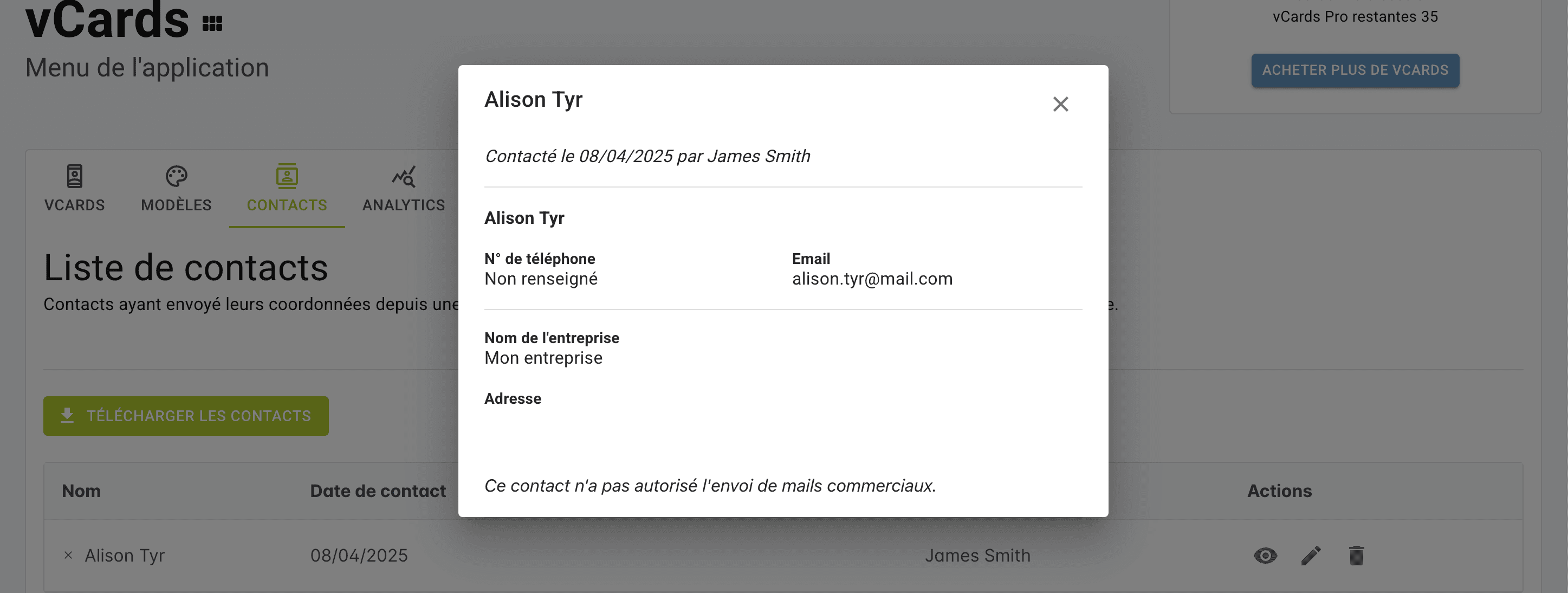
By clicking on the DISPLAY icon on your contact's line, you can view all the contact details shared by this contact.
You can find the following contact details when they are shared:
Contact name and surname
Telephone no.
Email
Company name
Postal address
Agreement to receive sales literature from your company
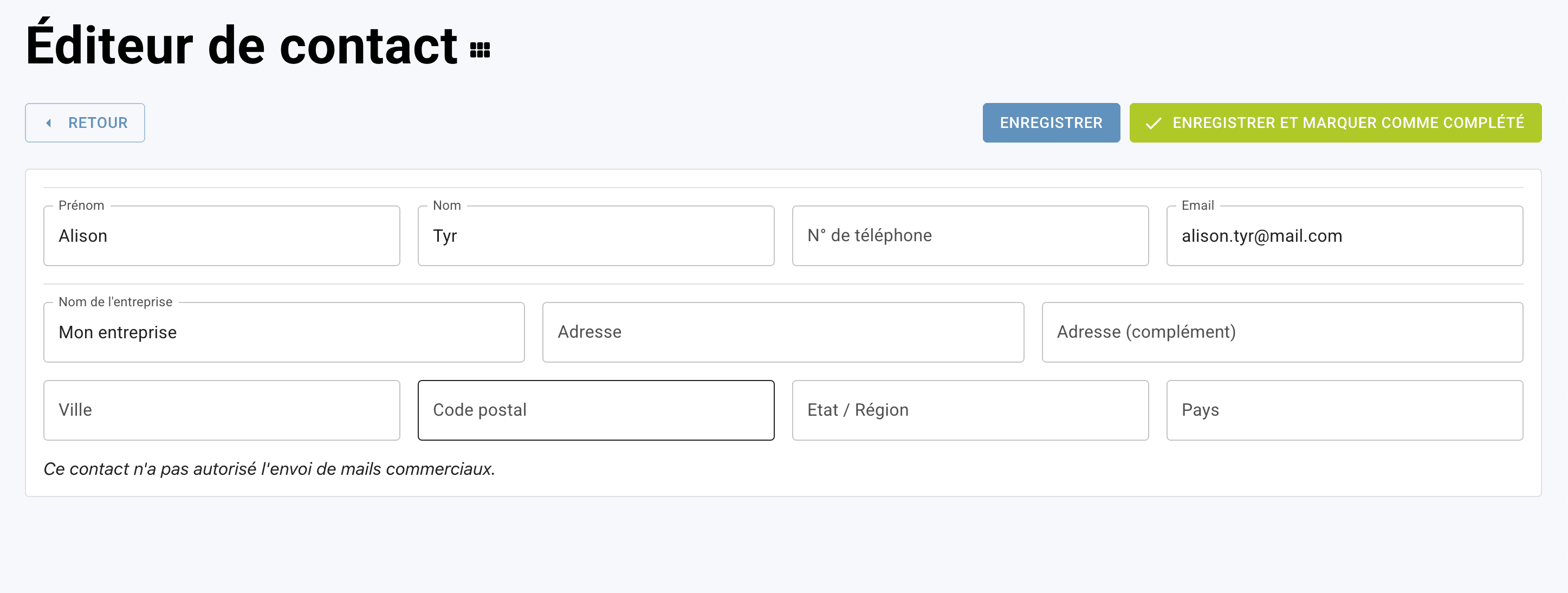
By clicking on the EDIT icon in your contact's line, you'll be able to access his or her file and complete your contact.
Delete a contact
To delete a contact from your list, click on the DELETE icon in the contact line. Then click on DELETE again in the deletion pop-up to confirm your operation.
Export your contact list
Contact export in .xsl format is currently under development. To set up a customized export, please contact our support team.
Collecting contacts: Retrieve and manage the list of collected contact details
Contact list
View and complete contact
Delete a contact
Export your contact list