Once you're in the application, you can get straight down to creating your first vCard Pro.
Go to the VCARDS section and click on CREATE A VCARD. You will be redirected to the vCard Pro creation interface.
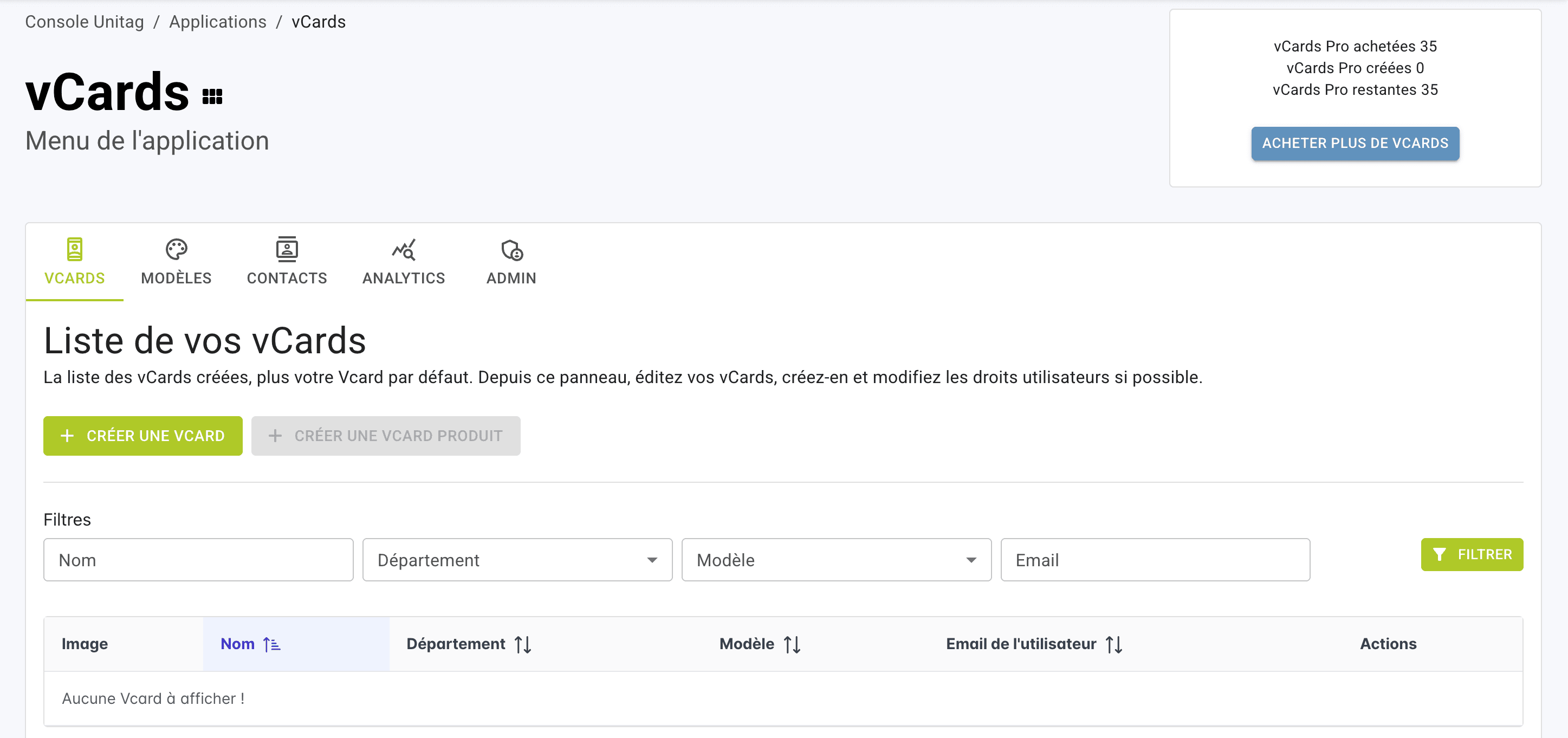
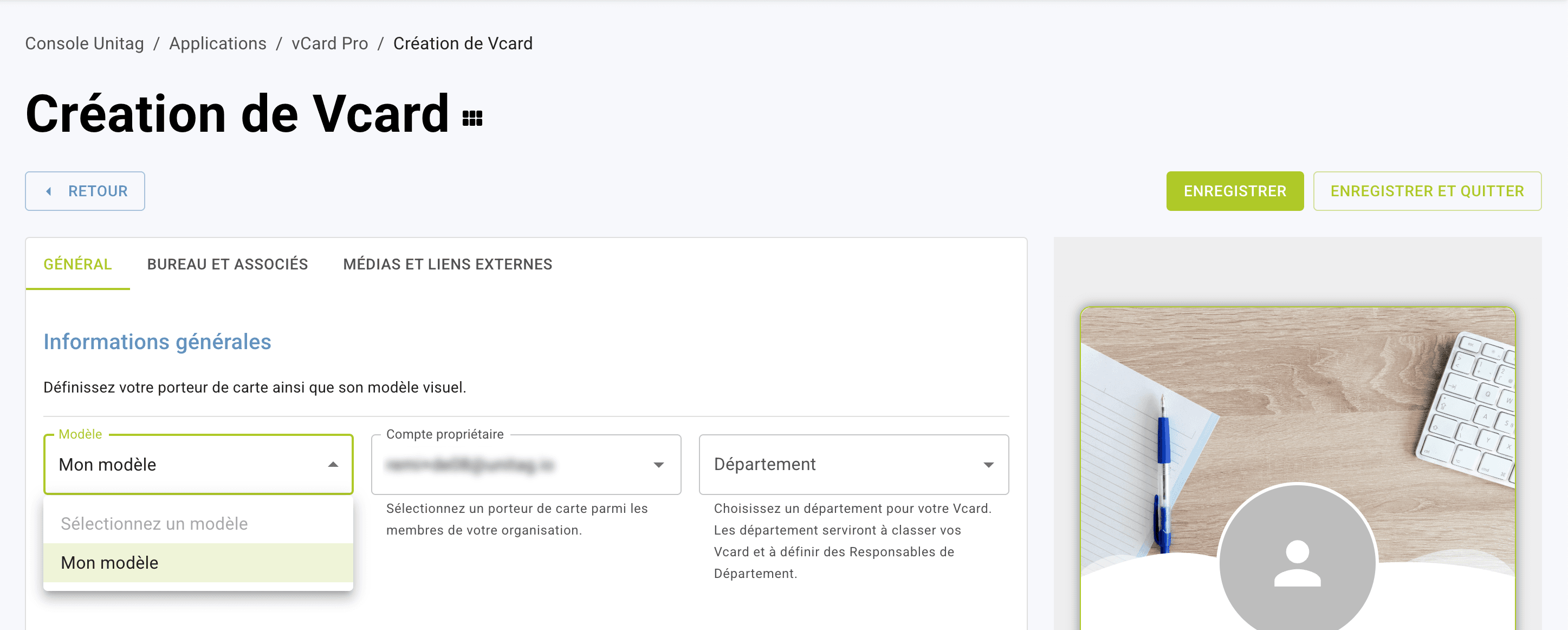
In the General tab :
Select the template for your vCard Pro from the drop-down list in MODEL (all templates, including the default, are customizable once the vCard has been created).
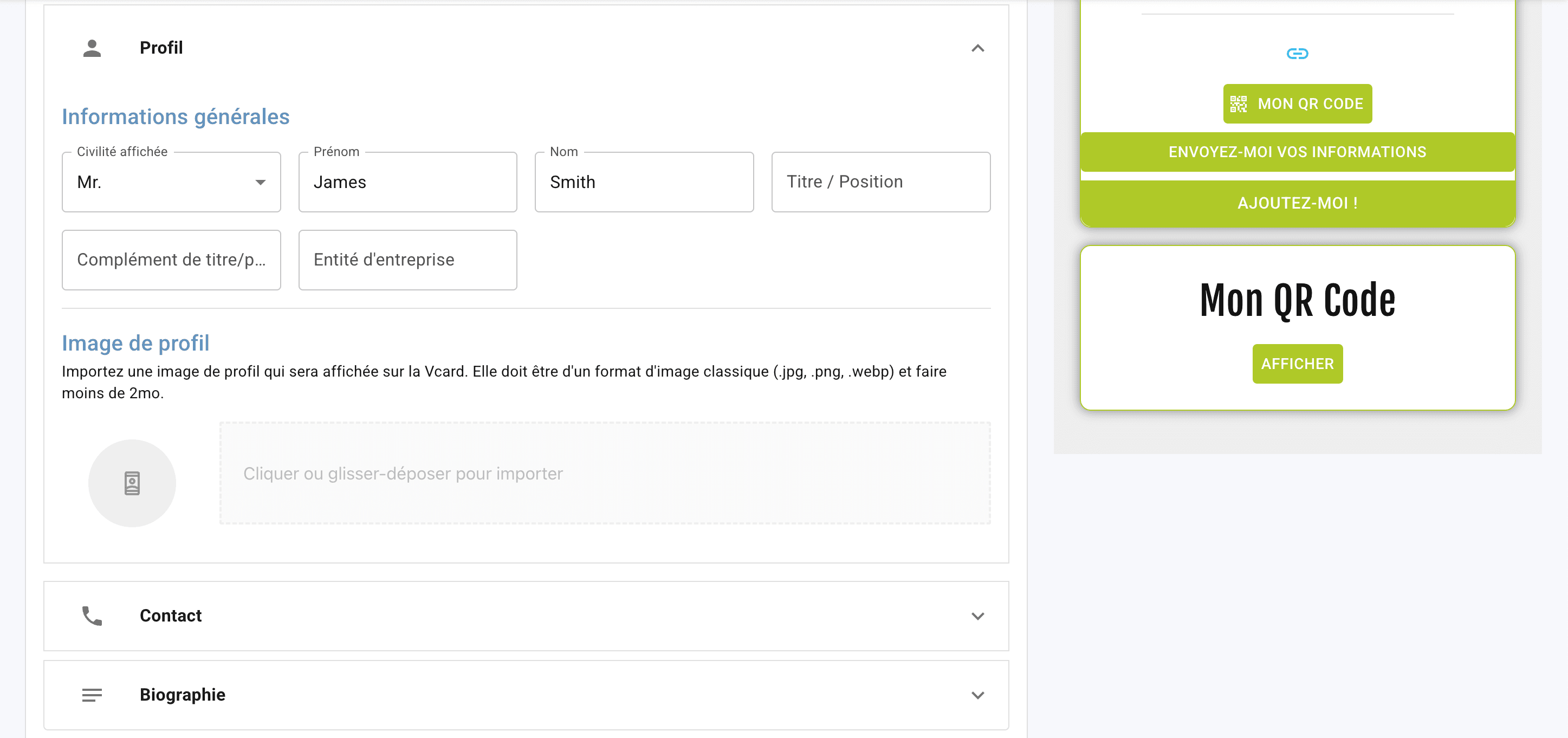
In Profile: record your cardholder's information (last name, first name, job title, profile photo)
In Contact information: record your cardholder's contact details (telephone number, e-mail address and personalized contacts).
In Biography: record a short introductory text.
Finally, click on SAVE AND EXIT in the top right-hand corner.
Your vCard PRO will be saved, and you'll find the list of your vCards Pro in the VCARDS tab of the main menu.
The QR Code for your vCard Pro will be automatically created with your vCard Pro, and you can find it in your QR Code application for downloading using the VCARD type filter.
Create a vCard Pro