Content modification is possible with dynamic and dynamic pro QR codes.
After modification, your QR Code automatically redirects your users to its new content.
To change the destination link or content of your dynamic QR Code :
Go to your list of QR Codes (from your QR Codes application).
Click on the EDIT icon in the line of the QR Code to be modified.
Click on EDIT CONTENT in the left-hand menu.
Save the new destination content of your QR Code in the URL bar.
Then click on SAVE QRCODE in the left-hand menu.
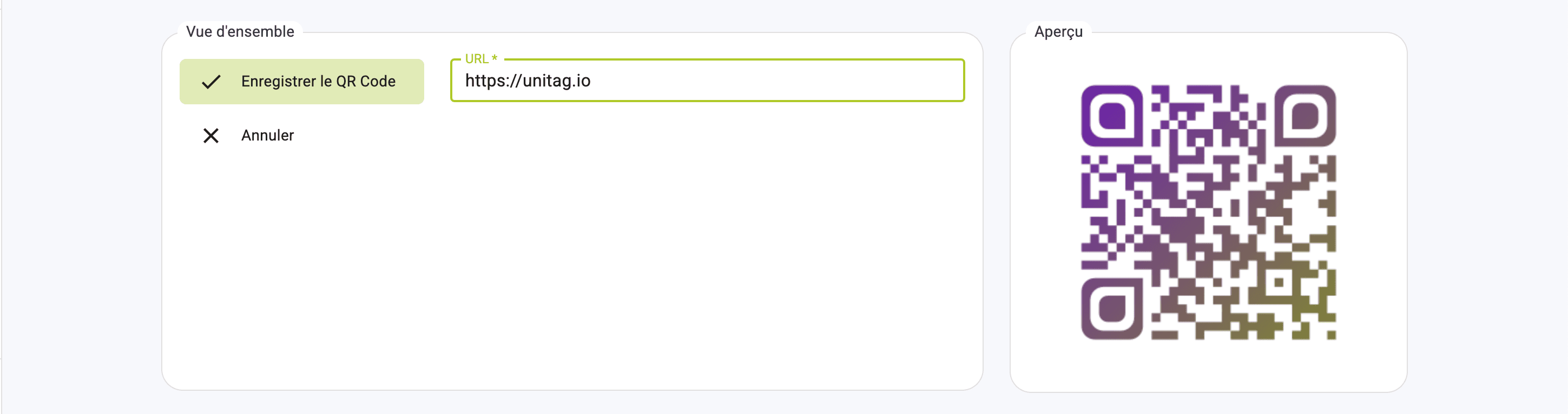
The same QR Code will automatically redirect users to its new content.
Edit QR Code destination