Modifying the design of a QR Code already created is possible. There are two ways to edit the design of your QR Code on your dashboard.
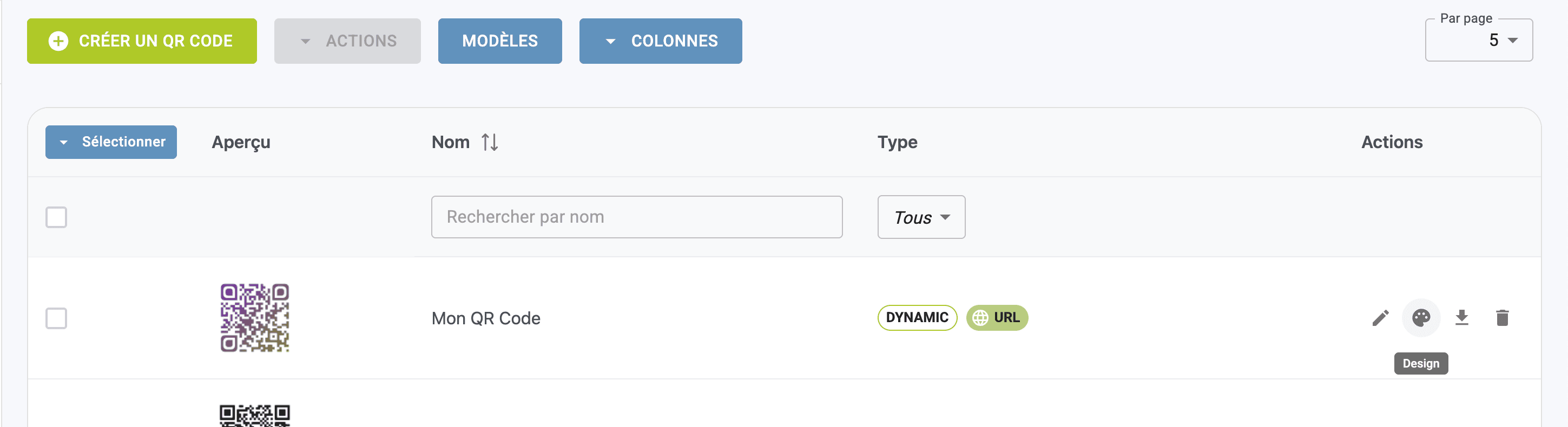
From your QR Codes list
Go to your QR Code application.
Click on the DESIGN icon in the line of the QR Code to be modified: you'll be redirected to your QR Code generator.
Modify your QR Code personalization choices in the CUSTOMIZATION section: a range of personalization tools is at your disposal.
Finally, click on SAVE.
The design of your QR Code will be modified and you will be able to re-upload your QR Code for distribution.
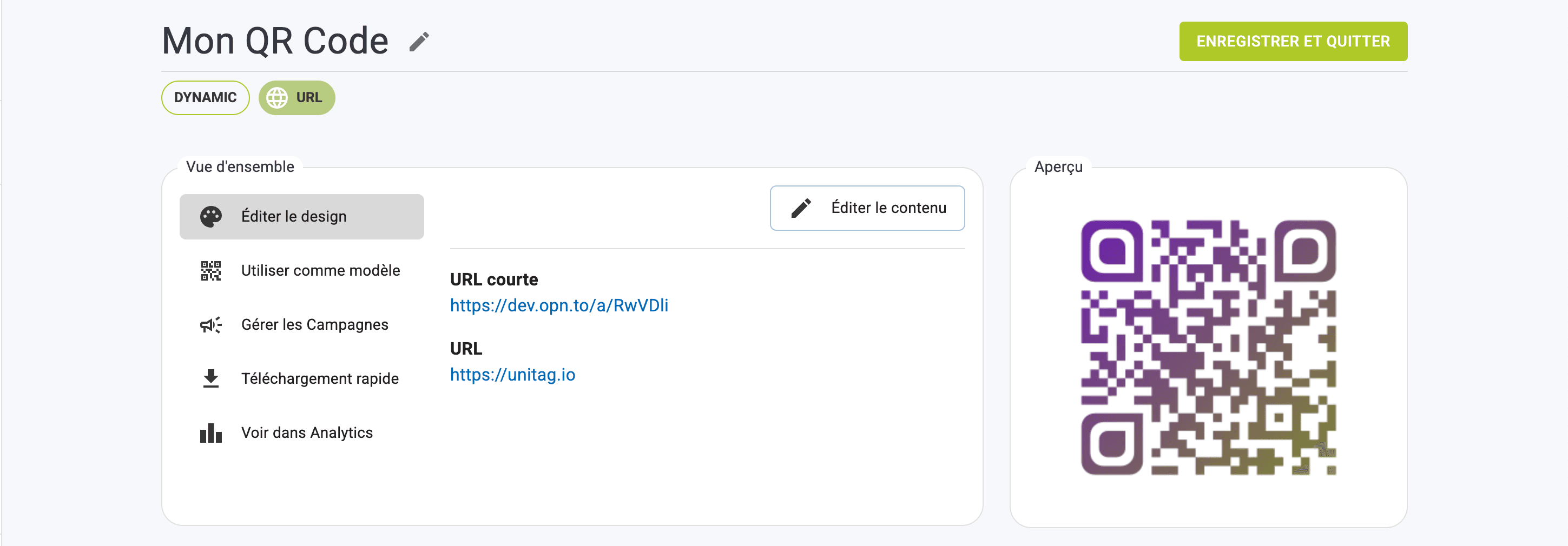
From your QR Code file
Go to your QR Code application.
Click on the DESIGN icon in the line of the QR Code to be modified: you'll be redirected to your QR Code generator.
Modify your QR Code personalization choices in the CUSTOMIZATION section: a range of personalization tools is at your disposal.
The design of your QR Code will be modified and you will be able to re-upload your QR Code for distribution.
Edit QR Code design
From your QR Codes list
From your QR Code file