Our Atlas application lets you generate large quantities of QR codes by uploading your xsl file, which can be accessed from your application.
In just 3 steps, you can automatically generate your static, dynamic or dynamic pro QR Codes, without having to go through the time-consuming manual creation process for some of your QR Code projects.
The Atlas application lets you create :
From URL: your QR Codes URL, Text, vCard classic
From vCard PRO: your vCard PRO (and associated QR Codes)
From Packaging: your PACKAGING products and destination links by country/language
Creation stages
Step 1: Create your QR Code template
To simplify the use of your Atlas file, we recommend that you create your QR Code template(s) from your QR Codes application.
Step 2: Download and complete the Atlas file
Go to your Atlas application.
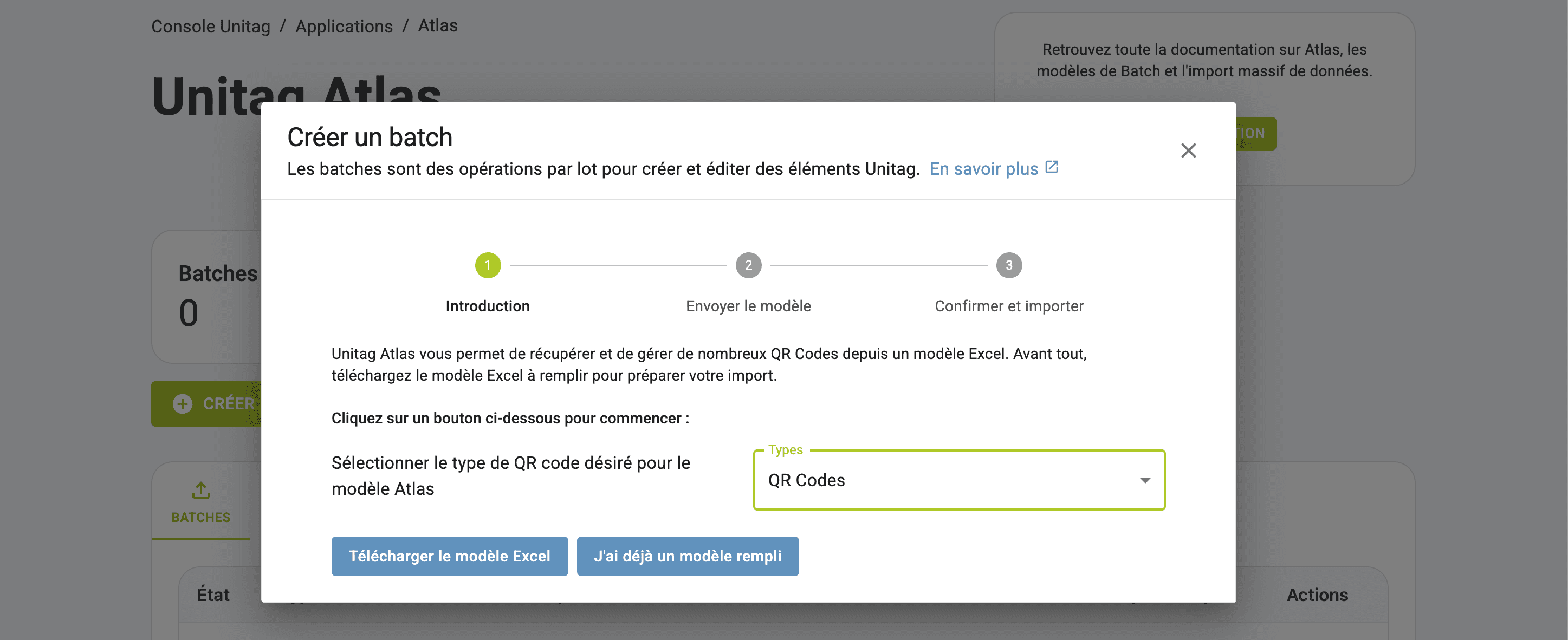
Download your Atlas file
Click on CREATE NEW BATCH.
Click on the type of QR Code you wish to create on the first pop-up: For classic QR Code creation, click on URL, select the type of QR Code you require from the drop-down list and click on DOWNLOAD EXCEL MODEL.
Your file will automatically download to your device.
Complete the Atlas excel file
Complete your Atlas file with QR Code information: each line corresponds to the creation of a QR Code.
Save your completed file
Step 3: Import your file
Import your file in the pop-up window. Finally, click on IMPORT DATA
Your QR Codes will be generated automatically, and you'll be able to find them in your QR Code application.
Create your Atlas batch: automatically generate your QR Codes
Creation stages